

01 Oct Voltra adapter: integrating digital resistance with Training Wall panels
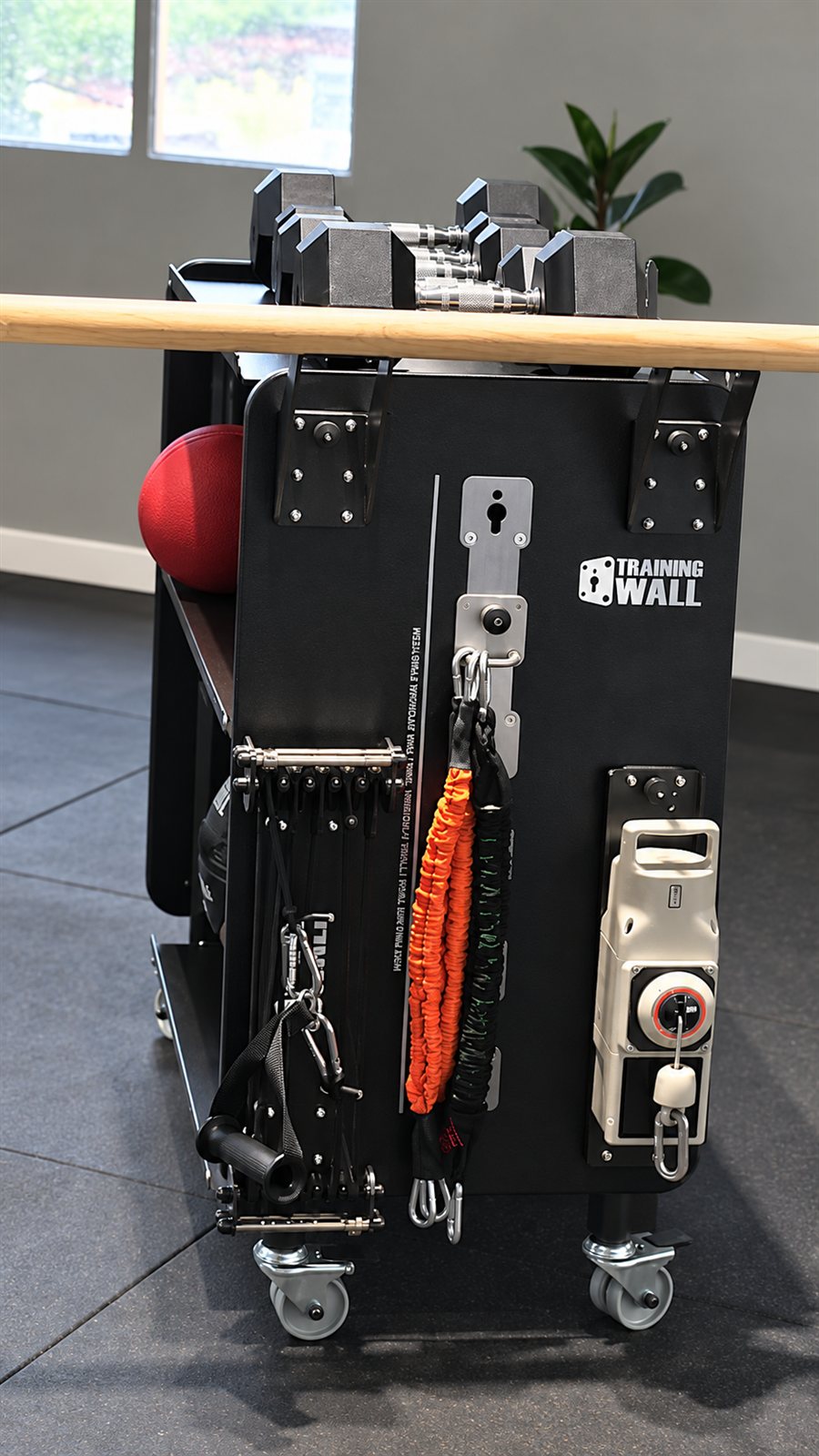
Adding another resistance device to a studio raises a practical question: where should it be placed so it can be used effectively? The Training Wall adapter for Voltra 1 connects that question with a modular panel installation. It creates a route for incorporating the device into an existing training area while keeping exercise position and attachment choice central to the setup.
The adapter and the resistance device have different roles
The practical value of an adapter is the ability to position a resistance source within the training space. Exercise selection still depends on the attachment point, direction of pull, user position and settings of the device. Coaches can use those variables to adapt a task without treating every resistance mode as interchangeable.
The adapter provides the connection to the Training Wall system; the Voltra unit provides and controls its own resistance functions. Keeping these roles distinct helps when specifying equipment. A mounting accessory does not by itself change a device’s software, operating modes or load capacity. The useful benefit is the ability to integrate the unit into a planned station.
Choosing the line of pull within the training space
An installation with interchangeable tools allows the exercise repertoire to develop without redesigning the whole room. In this case, the objective is to position Voltra 1 where it serves the intended task and maintain a setup that is clear to the coach and the user.
Think about the path between the unit and the user, not only the point where the device is attached. That path should remain clear during the exercise and during access to adjacent tools. A change in attachment position can change the direction of force, the available movement and the space required, even when the selected device setting remains unchanged.
Describe the complete exercise configuration
When introducing a cable device, record the mounting position, the attachment used by the participant and the distance from the panel. These details describe the exercise more accurately than a device setting alone. Two users selecting the same setting may still be working in different positions and through different ranges. A repeatable setup allows the professional to compare sessions without confusing a change in geometry with a change in the participant’s response.
For example, a coach planning a standing pull can first identify the start and finish positions, then check the cable path between them. Nearby tools should remain accessible without entering that path. If the station must also serve a different exercise, plan how the transition will be made and who will adjust the equipment. This example concerns room organisation and coaching. Device limits, approved attachments and compatible mounting arrangements must come from the relevant instructions, rather than being inferred from the appearance of a short demonstration.
A practical sequence for integrating a new tool
- Define the task and the preferred user position before choosing the mounting point.
- Fit the adapter and device following the instructions for the specific combination.
- Select an appropriate device setting and rehearse the cable path with the user.
- Record the setup so the same exercise can be repeated consistently or changed deliberately.
For a facility already using Training Wall, the adapter provides another way to develop the equipment available within the same training area. Discuss the intended use with our team to select the appropriate configuration.
Plan your training space with the Training Wall configurator or contact our team to discuss a configuration suited to your needs.
Sources and resources
The organisation examples and practical stages are editorial suggestions for this article. Adapt them to the objective, the participant and the equipment instructions.